Themes
Lamb comes with three built-in themes: base, 2024, and 2026.
I’m not a designer.
- 2026 is a worklog-style theme: light, warm-tinted, deep-amber accent, mono headings on a humanist sans body. Designed for a calm, attention-respecting personal microblog. New installs use this theme by default.
- Base is a traditional blog theme. It also acts as the fallback theme: any file an active theme does not provide is loaded from here.
- 2024 is a more open modern theme. It’s built on top of base.
Existing sites keep whatever theme they already use; only fresh installs start on 2026.
To switch between themes, set the theme key in the site configuration at /settings:
theme = 2024
Lamb also supports user themes in the same way. Simply create your own theme directory and assign it to the theme key. It’s recommended to version control your theme as it’s own git repo. This allows you to update Lamb and your theme separately using git.
Screenshots
Default:
2024:
2026: 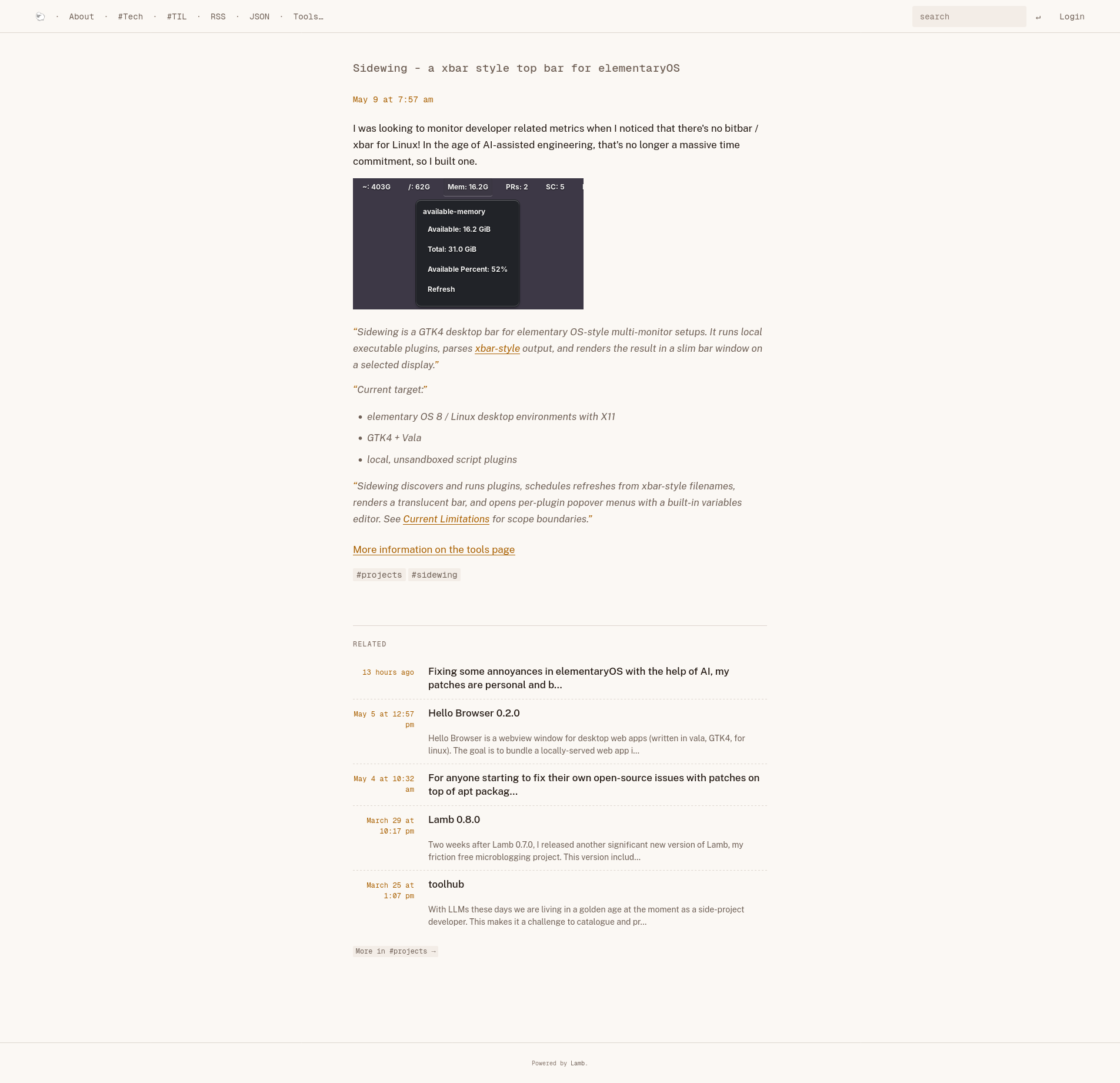
Theme documentation
- All functions available in theme.php can be reused in the theme.
- A theme does not need to provide every file. Lamb falls back to
src/themes/base/when a file is missing in the active theme. - The only file path that is always expected in the active theme is
styles/styles.css, becausethe_styles()always loads that stylesheet from the selected theme. html.phpis only needed when you want to change the outer page layout.- The Atom and JSON feeds are rendered by Lamb itself (
Lamb\Response), not by a theme part, so a theme needs nofeed.phporfeed_json.phpto have working feeds. Neither file is read any more: a theme that still ships one can delete it. - Use the
part($basename)function to load any other theme includes. This enables a fallback to the base theme’s files if the file does not exist in the theme. This makes the base theme a requirement for the 2024 theme. - CSS stylesheets must be saved in a subfolder of the theme called
styles/and are loaded usingthe_styles(). the_styles()takes no arguments and loadsstyles/styles.cssfrom the active theme.the_scripts()takes no arguments and loads application scripts fromsrc/scripts/, not from the active theme directory.the_scripts()always loadssrc/scripts/shorthand.js.- Logged-in users additionally get the admin scripts in
src/scripts/logged_in/. -
Post bodies are stored at the author’s literal heading levels (
#→<h1>,##→<h2>, …). A theme decides where those headings sit in its own outline at render time withanchor_headings($bean->transformed, $top): it shifts the body so its highest heading lands at level$top, keeping the rest relative (clamped at<h6>) so the outline stays in order for screen readers. The shift is signed — a body written deeper than$topis pulled up just as a shallower one is pushed down — so the level the author typed is immaterial. The built-in themes render the post title at<h2>and pass$top = 3, so the body’s first heading always becomes<h3>. A theme that titles posts differently passes a different level, and one that wants the literal levels can echo$bean->transformedwithout anchoring. - Images inside
$bean->transformedcarry intrinsicwidthandheightattributes (see Media), so a theme’s stylesheet must leave the aspect ratio free. If you constrain image width — the usualimg { max-width: 100% }— pair it withheight: auto, or images wider than their container will be squashed to the attribute’s height. All three built-in themes set both.
Have a look at the pre-existing themes for examples of the above.
Any suggestions to improve theming are welcomed.
Related
- Theme Functions: reference for the helper functions theme parts call.
- Media: rendered images carry intrinsic dimensions a theme’s CSS has to accommodate.
- Site Configuration: Set the
themekey in the config to activate a theme.